
Make selling on cTrader Store easier with these tools
Discover cTrader Store tools that can make life easier for sellers - from product research and content creation to community management and backtesting.
There’s more to cTrader Store than tools for trading. If you’re a seller, you can also find products that can help with the work behind your own products - from research and content creation to community management and backtesting.
Building a great indicator, cBot or plugin is only part of being a cTrader Store seller.
There’s also research, testing, creating screenshots and videos, promoting your products and keeping your community engaged. And some of the tools already available in cTrader Store can make those tasks easier too.
Here are a few worth adding to your seller toolkit.
Manual Backtest Helper: test ideas before you build
Manual Backtest Helper
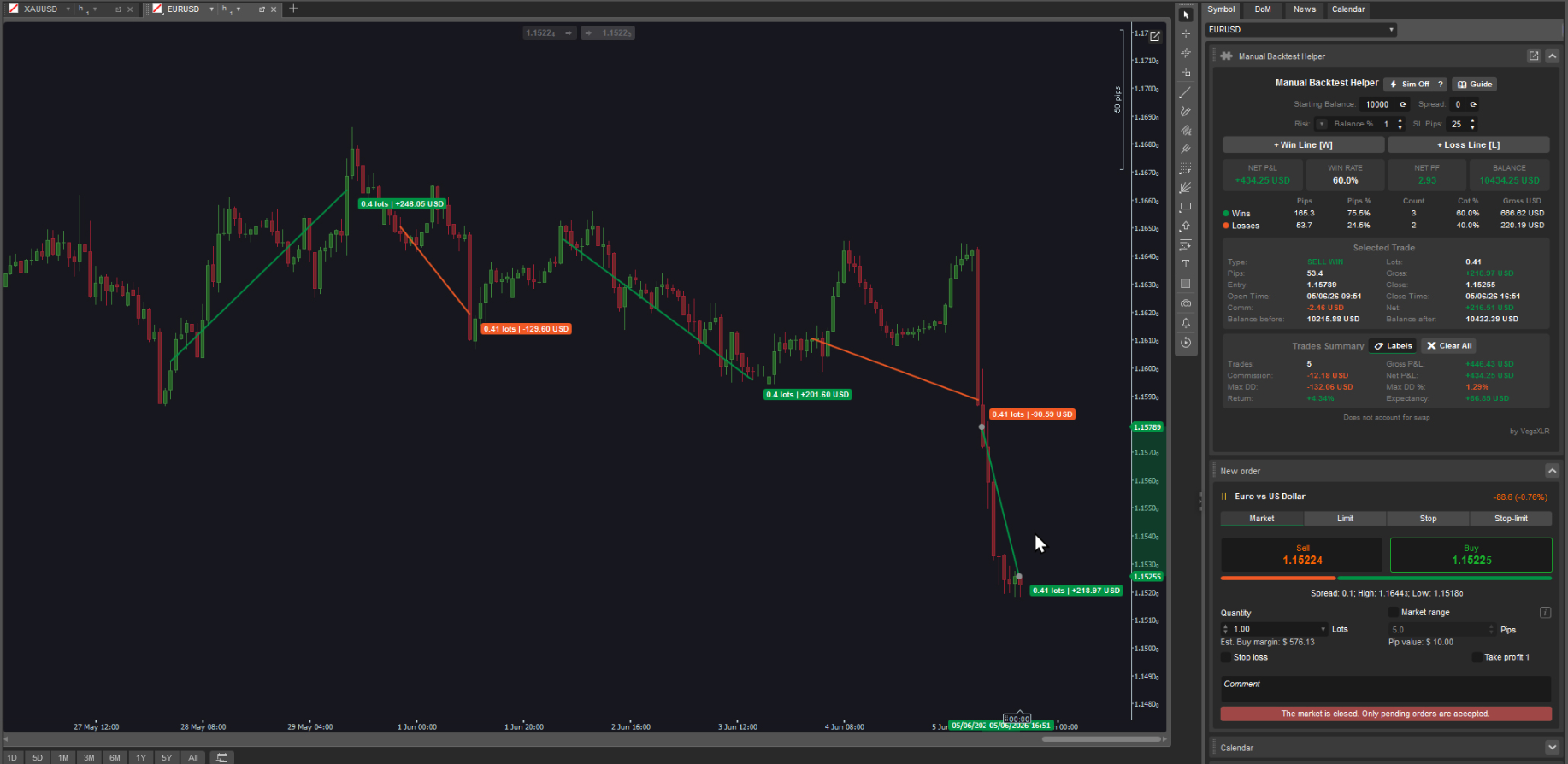
VegaXLR - Manual Backtest Helper lets you test trading setups directly on historical cTrader charts. You can create trades visually with entry, stop loss and take profit levels, while the plugin automatically calculates metrics including win rate, profit factor, net P&L, maximum drawdown and expectancy.
For sellers developing strategy-based products, this can be useful before investing time in building a finished indicator, cBot or plugin. You can manually test an early idea, compare different setups and collect performance data to understand whether the concept is worth developing further.
It can also help when you're improving an existing product or experimenting with changes for a future update. Instead of building first and testing later, you can explore how an idea performs before committing more development time.
AI Assistant: make research faster

AI Assistant
AI Assistant brings AI directly into cTrader, giving you a conversational way to work with trading and account information without constantly switching between different parts of the platform.
For sellers, this can be particularly useful during research and product development. You can use it to quickly explore trading data, investigate different scenarios and get the information you need while working on a new idea.
It can also help you look at familiar data from a different angle. When you're researching a new indicator, cBot or plugin, having a faster way to explore information can make it easier to validate an idea, identify useful data points and decide what deserves a closer look.
Superior cTrader To Discord Notifier: automate your community updates
Superior cTrader To Discord Notifier
If Discord is part of how you promote your products or communicate with users, keeping it updated can quickly become another task on your list.
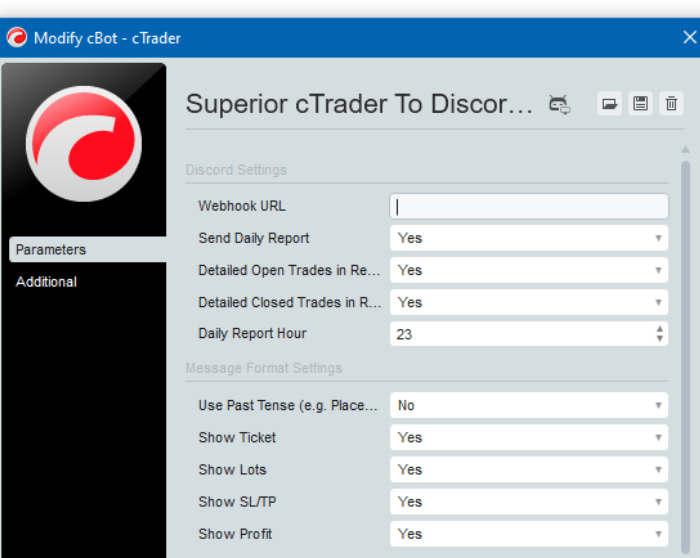
Superior cTrader To Discord Notifier connects cTrader with Discord through webhooks and can automatically send formatted updates when positions and pending orders are opened, modified or closed. You can also control which information appears in the messages.
For sellers running a community around a product or trading strategy, this means less repetitive posting. You can automatically share relevant trading activity, keep your Discord more active and give users regular updates without having to publish every message yourself.
Time and Sales viewer: explore market data from another angle
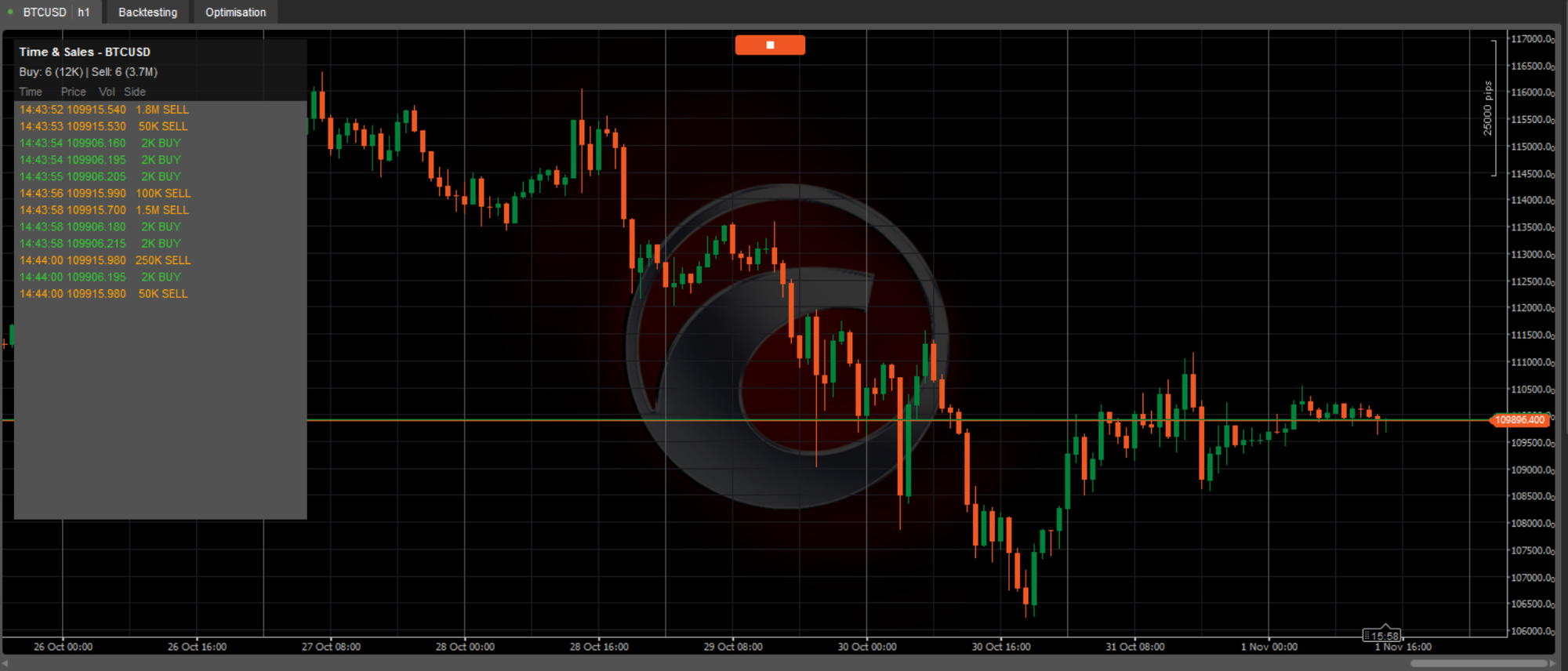
Time and Sales viewer
Time and Sales viewer brings real-time trade-flow information into cTrader, including estimated volume, buy/sell direction, large-trade highlighting and live statistics.
For sellers working on new trading tools, having different ways to explore market data can be useful during the research stage.
You can use it to examine trading activity in more detail, explore patterns or behaviours that could be relevant to your product and see how different types of market information can be presented inside cTrader.
This can be especially useful if you're developing around volume, order flow or short-term market activity. Research doesn't always lead directly to a new product, but it can help you identify features worth testing or questions worth exploring further.
Chart Tools: create product content faster
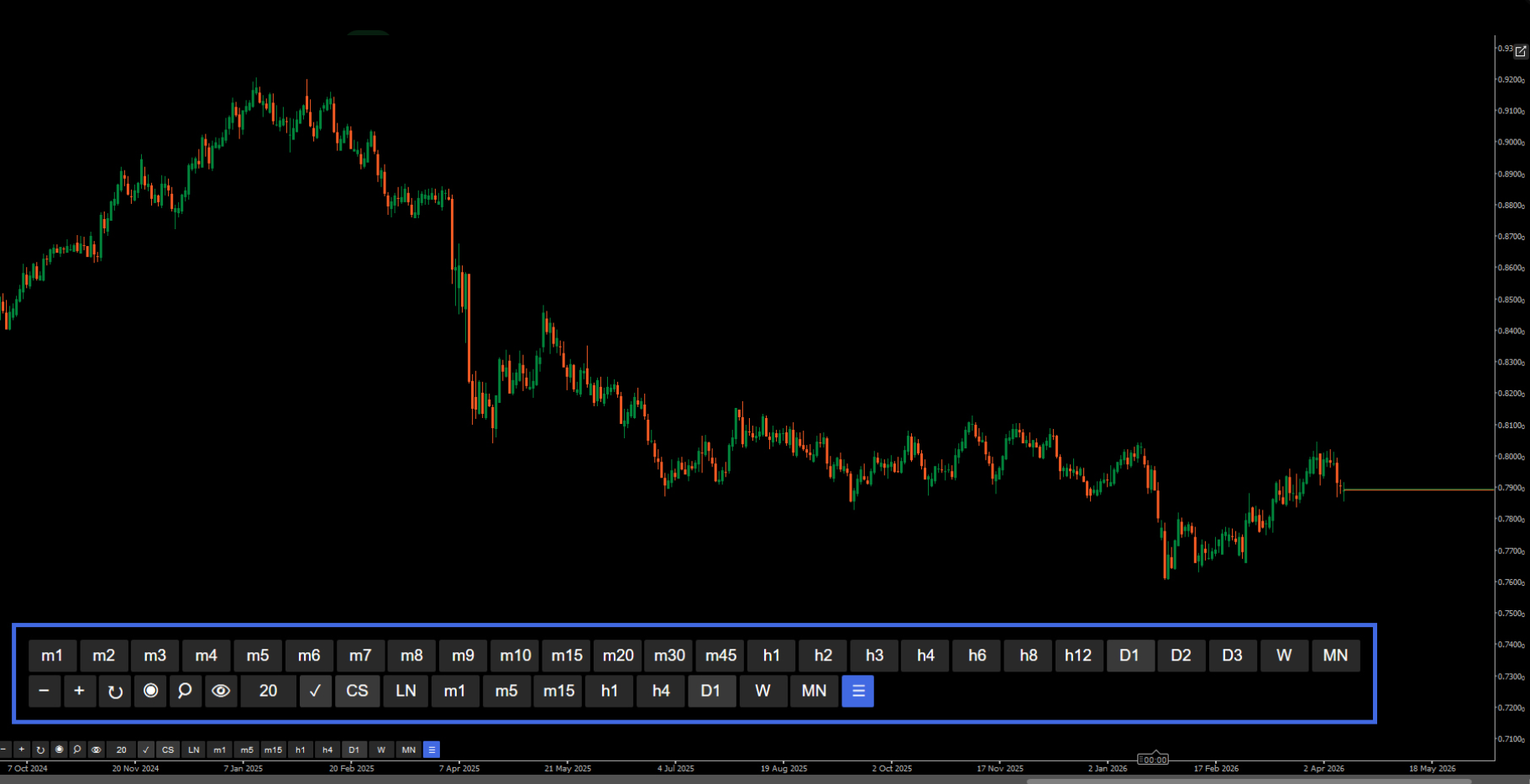
Chart Tools
A potential customer will often see your screenshots or videos before they ever try your product. Making your product easy to understand visually matters.
Chart Tools adds an on-chart control panel for frequently used settings, including zoom, timeframes, chart types, period separators, grids and bid/ask lines.
For sellers, that can make preparing product content much quicker.
Use it while taking screenshots for your Store page, recording product demonstrations or tutorials, or checking how your indicator looks across different chart configurations. Instead of repeatedly navigating through menus to prepare each shot, you can adjust the chart directly and move on to the next piece of content.
If you regularly update your Store listings or promote your products outside the Store, those small time savings can quickly add up.
IANTIAI Market Data Exporter: take your research outside cTrader
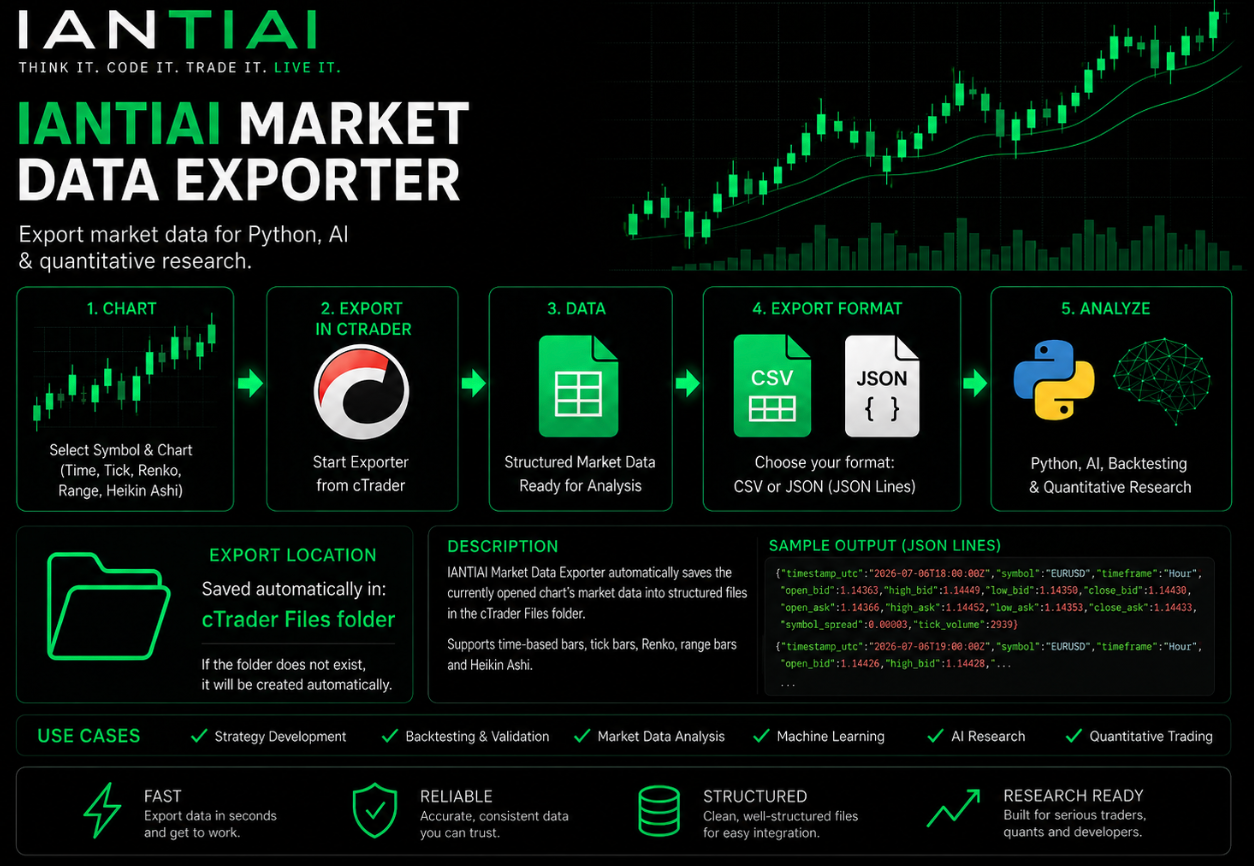
IANTIAI Market Data Exporter
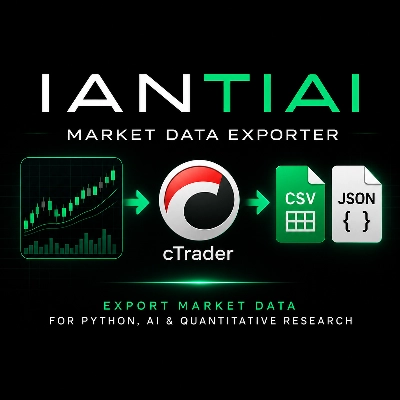
IANTIAI Market Data Exporter lets you export market data directly from the active cTrader chart into structured CSV or JSON files. It works with standard time-based bars as well as Tick, Renko, Range and Heikin Ashi charts, and includes Bid and Ask OHLC data, spread and tick volume.
For sellers, this can be useful when your product research goes beyond what you want to do directly inside cTrader. You can take the exported data into Python, pandas or Excel for deeper analysis, use it in AI and machine-learning workflows, or build your own research and backtesting process.
This gives you more flexibility when validating a new product idea, analysing market behaviour or testing the logic behind a future indicator, cBot or plugin before you invest more time in development.
Make cTrader Store part of your seller toolkit
cTrader Store isn’t only where you publish and sell your products. It can also be a source of tools that make the work behind them easier.
Whether you’re researching your next idea, preparing better product content, managing a community or testing a strategy before development, it’s worth checking what’s already available.
The next tool you find in the Store might not be something you sell - it might be something that helps you sell better.






Comments ()