

Subscriptions - more ways to earn with the same product
Learn how to use subscriptions to lower the entry barrier, build recurring revenue and get more value from your cTrader Store products.

You’ve already built the product. Now subscriptions give you another way to earn from it.
With subscriptions on cTrader Store, you can offer recurring access to your product alongside a one-time purchase.
In the Store interface, buyers will see subscription options as Rent, while sellers manage them as subscription plans.
For sellers, there are two particularly interesting opportunities.
The key is knowing which approach makes sense for your product - and how to price and promote it effectively.
When do subscriptions make sense?
Subscriptions shouldn’t be another pricing option you enable across your whole portfolio. They work best when they solve a specific sales or monetisation challenge.
Here are two situations where they’re worth considering.
Your product has a high upfront price
The higher your product price, the bigger the commitment you’re asking a new customer to make.
Imagine you’re selling a cBot for $500. A trader may be interested in the strategy and like what they see on the product page, but still hesitate to spend $500 upfront.
A subscription gives them a smaller way in.
For example:
1 week: $50
1 month: $75
Unlimited: $500
Instead of choosing between paying $500 and not buying at all, the trader can start with a shorter, lower-cost option.
This is one of the main benefits cTrader highlights for subscription buyers: a lower upfront payment for premium products, with the option to move to a longer plan or Unlimited later.
For you as a seller, the goal isn’t necessarily to replace the $500 Unlimited sale. It’s to give interested traders who aren’t ready for the full price another way to become paying customers.
Why weekly can work particularly well
For an expensive product, a weekly subscription can be the easiest first paid step.
The buyer doesn’t have to make a large commitment immediately, while you get a paying customer rather than losing someone who isn’t ready for Unlimited.
A weekly Rent option can be the lowest-commitment paid option for traders who aren’t ready for a monthly plan or Unlimited. From there, they can move to a longer subscription period or Unlimited if they want to keep using the product.
Your product is used month after month
Subscriptions can also work well for affordable products that traders continue using as part of their regular setup.
Imagine you sell an indicator or plugin for $29.
With a one-time purchase, one customer generates $29.
Now imagine offering the product for $9 per month, provided that price falls within the permitted subscription range.
After six months, that subscriber has generated $54. After twelve months, $108.
The initial payment is lower, but the potential customer lifetime value is higher.
That’s the opportunity with products people keep using: subscriptions can turn continued usage into recurring revenue.
This can be particularly relevant for products that provide ongoing value through live analytics, external data or services, AI-powered functionality, regularly updated content or continued development and support.
cTrader also highlights these types of products in its introduction to Store subscriptions as strong candidates for recurring monetisation.
If your product continues giving traders a reason to use it every month, a subscription model is worth considering.
Don’t enable subscriptions just because you can
Not every product needs one.
Before adding a subscription, decide what you actually want it to achieve.
For an expensive product, the goal might be to lower the barrier to the first purchase.
For a product traders use continuously, it might be to build recurring revenue and increase potential customer lifetime value.
In some cases, a one-time purchase will still make more sense.
A simple question can help:
What job is this subscription doing for my product?
If you don’t have a clear answer, adding another pricing option probably won’t help.
Choose the right periods and prices
Once you’ve decided subscriptions fit your product, think about which periods you actually need.
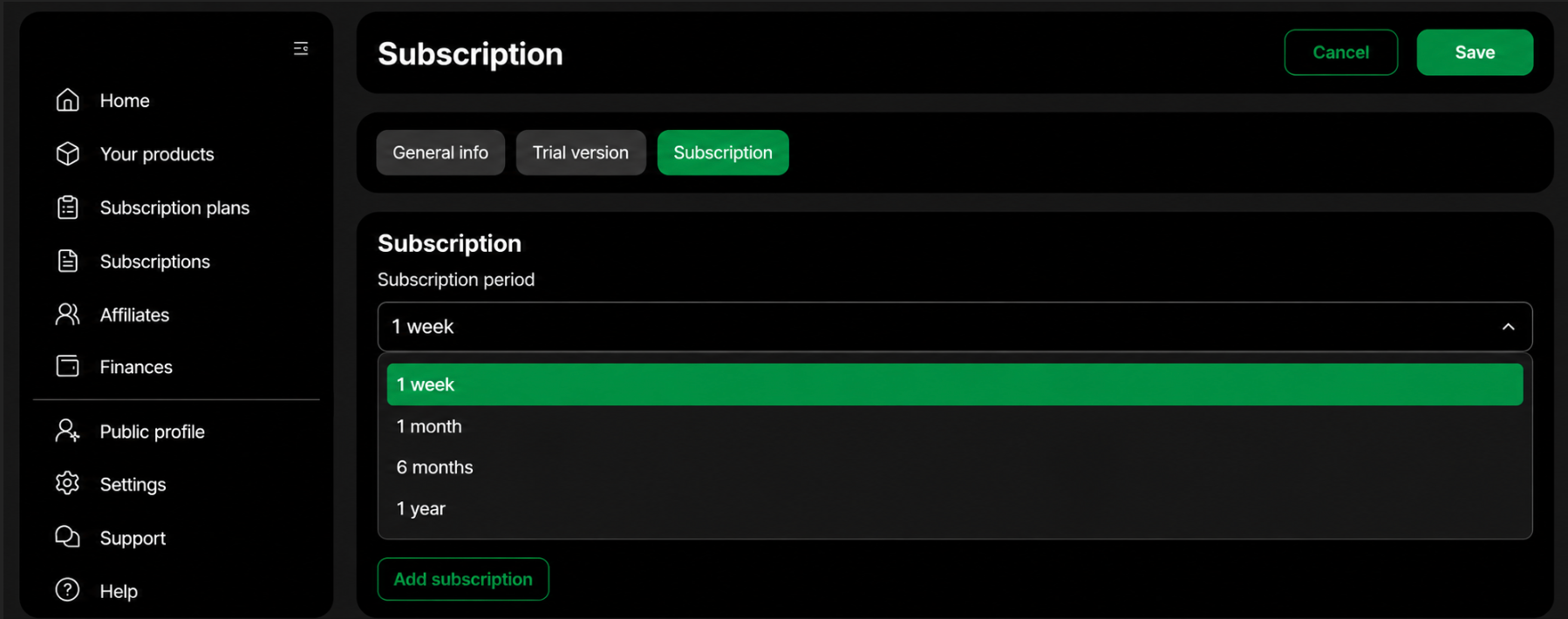
Sellers can currently create weekly, monthly, 6-monthly and yearly subscription plans.
You don’t need to offer all four.
Each period should have a clear role.
Weekly - make it easier to start
Weekly access is particularly useful when the Unlimited price creates a high entry barrier.
For weekly subscriptions, the available range is 5-20% of the Unlimited price.
Monthly - give buyers more flexibility
A month gives the customer more time with the product without requiring the full upfront payment.
For monthly subscriptions, the available range is 10-15% of the Unlimited price.
For an affordable product designed for continuous use, monthly can instead become your main recurring option.
6-monthly - reward a longer commitment
If someone is prepared to commit for six months, the plan should generally offer better effective monthly value than repeatedly paying for shorter periods.
For 6-month subscriptions, the available range is 30-50% of the Unlimited price.
Yearly - create a strong long-term option
A yearly plan gives customers another long-term choice before Unlimited.
For yearly subscriptions, the available range is 60-90% of the Unlimited price.
You can find more details on subscription pricing and setup in the official subscription guide.
Make sure your prices work together
Don’t choose each subscription price in isolation.
Look at the whole pricing structure exactly as your customer will see it.
The available ranges leave room for different strategies and some of them overlap. Your final prices still need to form a logical progression.
1 week - lowest commitment
1 month - more time and better effective value
6 months - better value for a longer commitment
1 year - stronger long-term value
Unlimited - permanent access
If you set a weekly price at the higher end of its range and a monthly price at the lower end, check that the resulting prices still make sense next to each other.
Do the same with your longer plans.
Compare the 6-monthly and yearly prices with Unlimited. If a long subscription comes very close to - or exceeds - the one-time price, make sure there’s still a clear reason for the customer to choose it.
The exact percentages matter less than the logic behind them.
Every plan should give the customer a clear reason to choose it.
How to enable subscriptions
Once you’ve decided which plans to offer, setting them up is straightforward.
You can find the complete process in the cTrader Store Help Centre.
Only verified seller accounts can publish paid products and products with subscriptions.
1. Publish a new product or edit an existing one.
2. In the Price block, select Subscription.
3. Keep the one-time price selected as well if you want to offer both.
4. Click Publish.
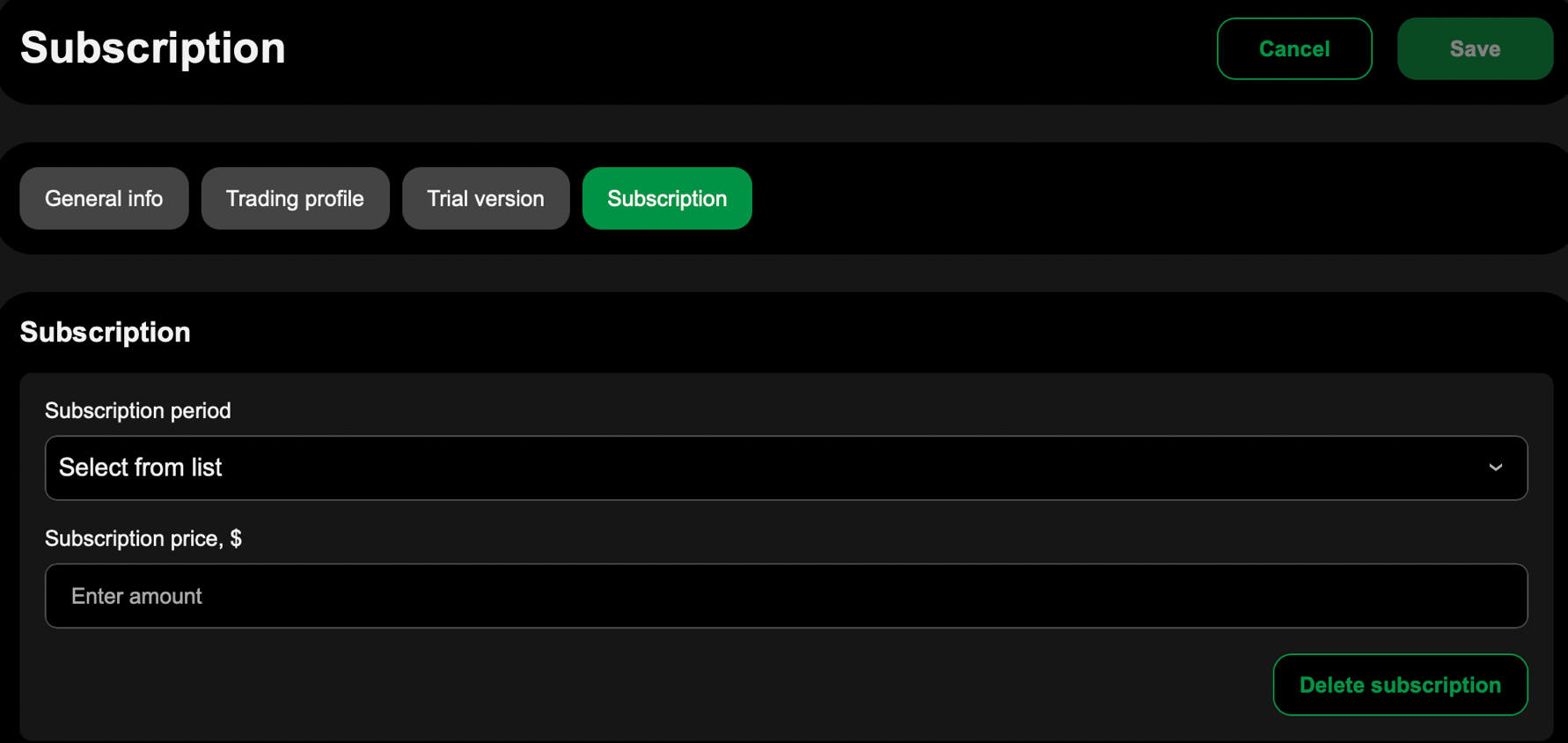
5. Open the Subscription step in the product form.
6. Add the billing periods you want to offer.
7. Enter the recurring price for each plan and save.
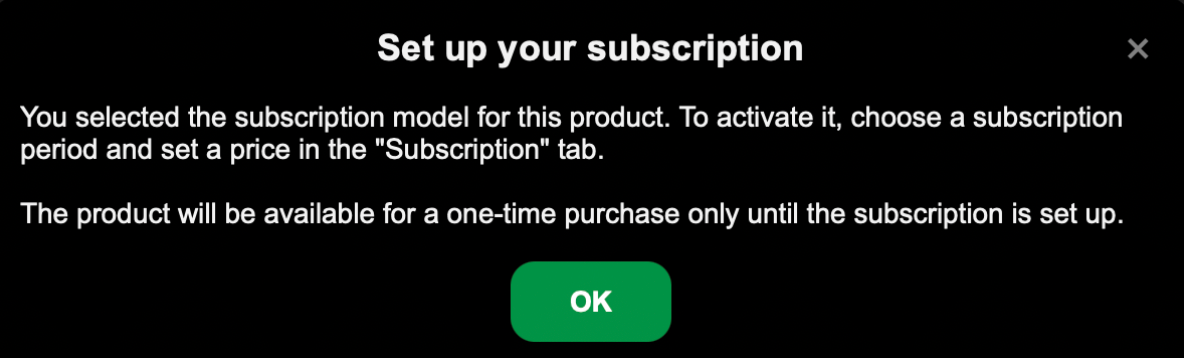
One important detail: after selecting Subscription, you still need to create at least one active subscription plan. Until the subscription terms are added, the product is treated as free.
When you enter a price, cTrader Store checks it against the permitted minimum and maximum for the product and billing period.
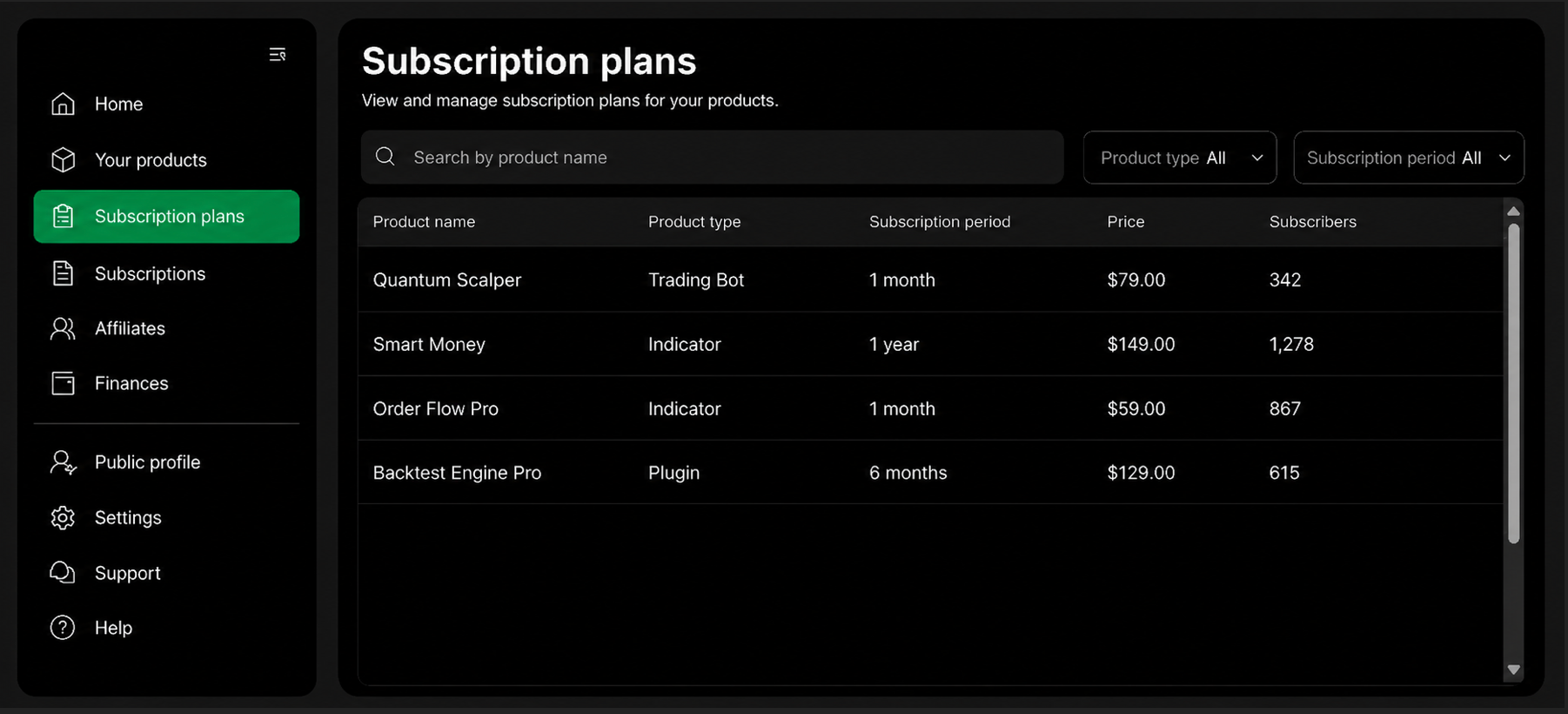
Once your plans are live, you can manage them from the Subscription plans page, where you can also see the number of subscribers for each plan. Subscription payments are added to your seller earnings.
If you edit an existing plan later, a new version is created. Existing subscribers remain on their original terms until they cancel.
Also keep in mind that once a product becomes subscription-based, it can’t be changed back to Free.
For the full setup and plan management rules, follow the step-by-step Help Centre guide.
You've added subscriptions - now promote them
A new pricing option only helps if potential customers understand why it's useful. Instead of simply announcing that subscriptions are available, show potential customers what the new Rent options change for them.
For an expensive product, lead with the lower entry price. If your product costs $500 Unlimited and you offer a $50 weekly Rent option, you could say: "Not ready to pay $500 upfront? Start with one week for $50." Or, if you want to promote the monthly option: "Start using the product for $75/month instead of paying $500 upfront." For a more affordable product, the message can be just as simple: "Get access from $4/month."
Use the same angle wherever you already promote your product - in your Discord or Telegram community, social posts, videos and other content. The important thing is to communicate the lower entry price or greater flexibility, rather than simply saying that subscriptions are now available.
You can also show customers how the different options fit together: "Start with a week. Stay flexible monthly. Save with a longer plan. Choose Unlimited for permanent access." This makes each option easier to understand and gives customers a clear reason to choose the period that works for them.
 Sofia Savchenko
 Sofia Savchenko
Make subscriptions part of your selling strategy
Subscriptions aren’t just another setting to switch on.
For an expensive product, they can lower the barrier between interest and the first purchase.
For a product traders continue using, they can help you build recurring revenue and increase potential customer lifetime value.
Start with the reason you’re adding a subscription. Choose the periods that support that goal. Make sure the prices work together and then actively promote the new way to buy.
You can find the complete technical setup, pricing requirements and subscription management rules in the cTrader Store Help Centre.
You’ve already built the product. Now give buyers more ways to say yes to it.

Comments ()