

Your AI can now trade for you
Connect your preferred AI to cTrader and execute trades, access market data and control your platform using nothing but natural language.

Imagine starting your trading day like this: you open your AI chat, type
"Run my daily briefing - show account balance, equity, and all open positions with P&L"
and within seconds you have everything laid out in front of you. No clicking through panels. No manual checks. Just ask, and it's done.
That's exactly what cTrader AI Agent Connect makes possible.
One prompt. Your entire workspace, ready to go
What is cTrader AI agent connect?
cTrader AI Agent Connect is a bridge between cTrader and the AI agents you already use - Claude Code, ChatGPT, Gemini and others. It uses a standard called MCP (Model Context Protocol) to give your AI agent direct access to your trading platform.
What can it actually do?
This is where it gets interesting. The range of things you can ask your AI to do is genuinely broad.
🚀 Trade execution
Place any order type - market, limit, stop or stop-limit. Set stop loss and take profit levels, partially close positions, amend pending orders or cancel everything at once. All through natural language, all in real time.
🚀 Account and risk monitoring
Check your balance, equity and margin at any moment. Ask your AI to analyse all open positions relative to current market conditions and tell you which ones need attention.
🚀 Market data and analysis
Pull live prices and historical candles. Apply indicators like MACD and RSI. Ask the AI to study the outputs and point out trends, reversals or divergences. Symbol screening that used to take 30 minutes now takes one prompt.
🚀 Chart control
Your AI can open charts, navigate between timeframes, add and tune indicators and apply your templates - giving you a fully configured chart without a single click.
🚀 Market news
Ask your AI to pull the latest news and summarise what matters for your open positions right now.
🚀 Performance review
Pull your full trade history, break down wins and losses and get a clear picture of how your strategy is performing over any time period.
🚀 Workspace and platform control
Load workspaces, reorganise your layout, manage watchlists, set price alerts and control supported platform panels and elements.
See what your AI can do for your trading day
Ready-to-use prompts for every scenario
The range is wider than you might expect. On the trading side alone you can place any order type in plain language:
"Buy 1 lot of EURUSD at market", "Place a limit buy on GBPUSD at 1.3200 for 0.5 lots with a 50-pip stop loss and 100-pip take profit" or "Close all positions that are losing more than $500."
You can view positions, amend pending orders, partially close a trade or cancel everything with a single instruction.
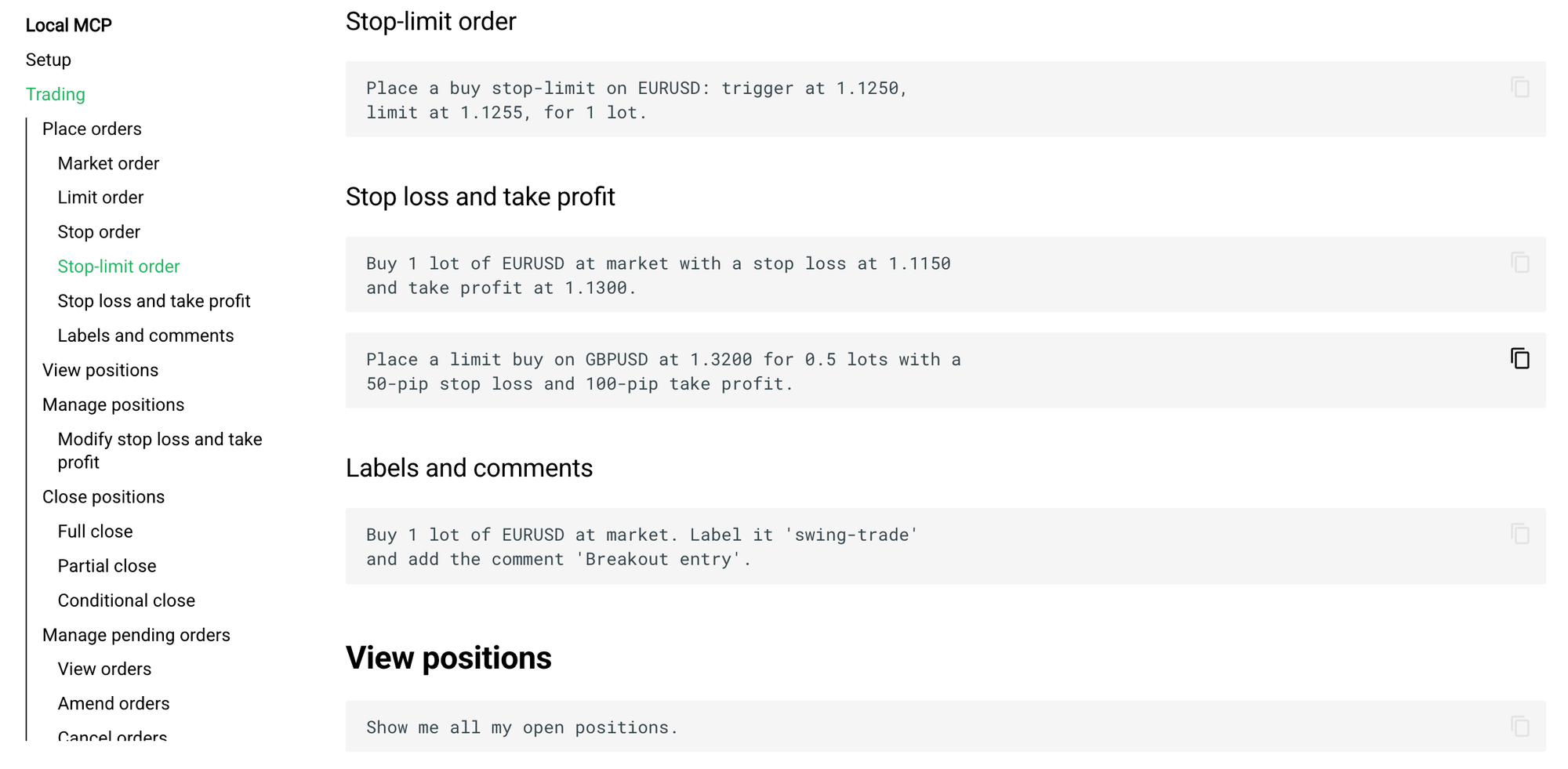
Then there's analysis: screen symbols with MACD and RSI, pull historical candles, check market news, review your last 30 days of trades and get a performance breakdown. And on the platform side: load a workspace, reorganise your layout, update watchlists, set price alerts and more.
Every prompt is ready to copy, tweak and use. Browse through and you'll quickly realise just how much your AI can do - and wonder how you traded without it.
Two ways to connect
💻 Local MCP server connects to cTrader Windows or cTrader Mac. Gives you the fullest range of operations: trading, account data, charts, indicators, market news, trade history, workspaces, price alerts and full platform control.
💻 Remote MCP server connects to cTrader Web. Covers trading, account data and market data. Works with any AI agent or app, anywhere.
Both take minutes to set up. Your AI agent handles most of the configuration - you copy a snippet, paste it in, and it connects.
Get started
Five years ago, a dedicated analyst watching your account 24/7 was something only institutional traders could afford. Today you have something better: an AI that can monitor markets continuously and react instantly when properly configured. And it connects to cTrader for free.
Your first session takes minutes to set up. By the end of it, you'll have an AI agent that knows your account, reads your charts and executes on your instructions. That's not the future of trading - it's available right now.
Connect your AI agent
Comments ()